
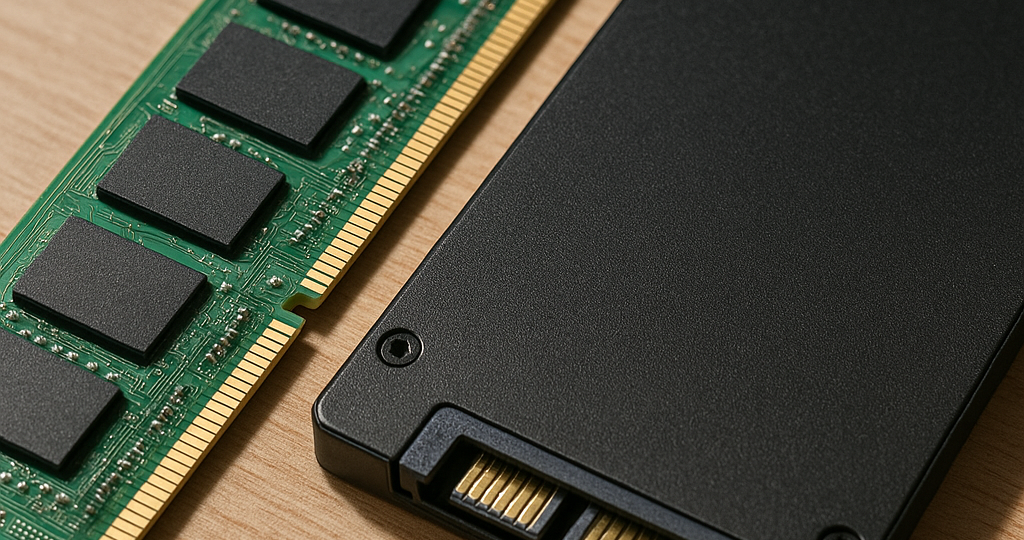
Understanding ram vs ssd: A Straightforward Guide For Builders
Modern rigs rely on two distinct storage layers that constantly get mixed up by casual operators. When assembling a new machine, the debate around ram vs ssd surfaces every single time. Both components shuttle data around, yet they operate on completely separate principles. Figuring out how each piece actually works saves money and keeps the system from choking under heavy loads.
Explaining what is ram vs ssd In Real Systems
Random Access Memory acts as the shortterm workspace for active tasks. It holds instructions the processor needs right now. Cut the power, and everything stored there vanishes instantly. Solid State Drives handle longterm retention instead. They keep operating systems, project files, and game installs safe even when unplugged. The confusion around what is ram vs ssd usually stems from both being labeled memory in casual shop talk. Technically, only one qualifies as volatile storage.
Breaking down what’s the difference between ram and ssd
Bandwidth numbers show a massive gap. Current DDR5 sticks push transfer rates past sixty gigabytes per second, while top-tier NVMe drives max out near fourteen gigabytes per second. Latency tells a different story. Memory chips reply in single-digit nanoseconds. Flash controllers sit in the microsecond range. That thousand-fold delay explains why running programs load into the fast workspace first. The motherboard demands instant access to active code. Archival drives simply cannot keep pace with real-time processing. Upgrading the wrong slot rarely fixes actual bottlenecks.
| Feature | Memory Module | Flash Storage |
| Power Behavior | Wipes when unplugged | Holds data permanently |
| Typical Throughput | 40000 to 60000 MB/s | 3000 to 14000 MB/s |
| Primary Job | Active task handling | Longterm file archiving |
| Endurance Limit | Effectively unlimited cycles | Terabytes written caps |
Reviewing ssd vs ram Through A Historical Lens
Back in the early days, machines used spinning magnetic platters for everything and barely scraped together megabytes of working space. The jump to flash arrays changed the whole game. Early mechanical drives introduced annoying delays. Today, direct memory access tricks blur the lines a bit. Operating systems now cache frequently opened files in reserved memory partitions to fake faster storage speeds. This hybrid setup bridges the gap when physical capacity runs thin. Still, the underlying physics stay the same. Silicon wafers for active processing just cannot replace flash cells for bulk retention. The performace gains from proper pairing speak for themselves.
- Boost volatile capacity when multitasking causes freezes or creative apps crash
- Swap legacy drives to slash boot times and speed up asset loading
- Balance both pieces to avoid choke points in heavy rendering or simulation work
- Track thermals since dense modules generate serious heat during long sessions
Hardware evolution rarely follows a straight line. Engineers optimize existing layouts to compensate for physical limits, building a tiered hierarchy that prioritizes speed exactly where the system needs it most.
Industry specs keep pushing boundaries. Recent workstation builds routinely pair sixty-four gigabytes of working memory with multi-terabyte flash stacks to handle massive datasets smoothly. Tom’s Hardware Component Metrics 2026 breaks down current generation numbers for US and EU builders. Enterprise setups lean on specialized caching layers to run heavy virtual machines without stuttering. For everyday operators, spotting the split prevents throwing cash at unnecessary upgrades. AnandTech Storage Breakdowns maps out practical paths based on daily usage patterns. The debate around what’s the difference between ram and ssd will eventually fade as unified memory designs mature, but until then, keeping the roles straight matters. Source: bbc.com
System planners often argue over the ideal ratio for specific workloads. Video cutters prioritize drive bandwidth for raw footage, while researchers pack machines with massive volatile pools for in-memory calculations. Neither route wins every time. The hardware market thrives on specialization, and matching the right arrrays to the task keeps everything running smooth.